
To delete or close your Casino Plus account, contact customer support through live chat or Call Back and request account closure, after withdrawing any remaining balance. If you only need a break, self-exclusion may suit you better than a permanent deletion. This guide covers how to close your account, the self-exclusion option, and what happens to your balance and data.
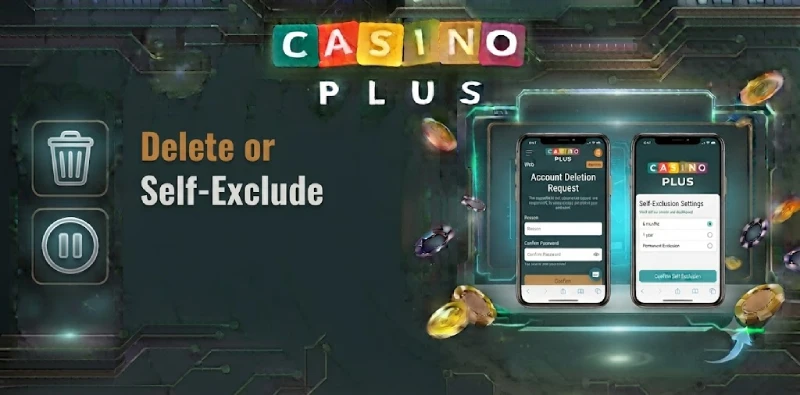
How to Delete or Close Your Account
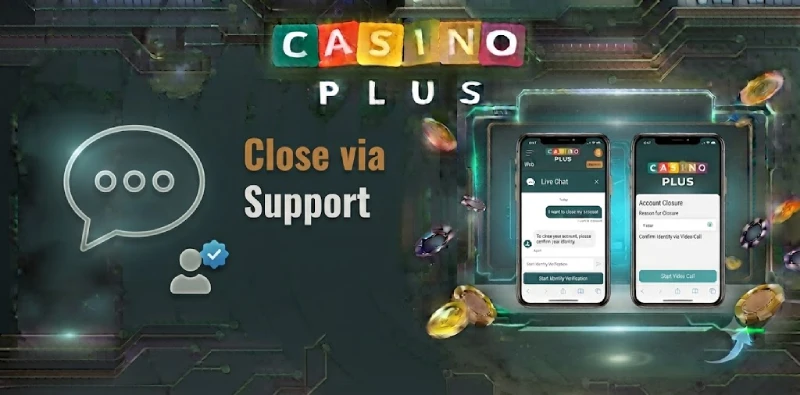
Casino Plus accounts are closed through customer support rather than a one-click button, which protects you from accidental closure. Before you start, withdraw any remaining balance, since you may not be able to access it after closure. Then contact support through live chat or Call Back, ask to close your account, and follow any verification steps they need to confirm it is your account. Keep in mind that each player is allowed only one account, so closing it is a significant step.
The table compares closing your account with self-exclusion.
| Option | What it does |
|---|---|
| Close account | Ends your account through support after you withdraw any balance |
| Temporary self-exclusion | Blocks access for a set period, then you can return |
| Longer self-exclusion | Blocks access for an extended period |
Self-Exclusion as an Alternative
If your goal is to stop playing for a while rather than leave for good, self-exclusion is often the better fit.
Take a Temporary Break
A shorter self-exclusion blocks access to your account for a set period, giving you a cooling-off break without permanently deleting your history. When the period ends, you can return, which suits players who want space rather than a final exit.
Longer-Term Self-Exclusion
For a firmer step, a longer self-exclusion blocks access for an extended period. This is a responsible gaming tool for regaining control, and support can help you set the length. You can read more on the responsible gaming page.
What Happens to Your Balance and Data
Two things matter when you close an account: your money and your data. Withdraw any balance first, since closure can remove access to funds left in the account. For your personal data, Casino Plus handles it under the Data Privacy Act of 2012, and some information may be retained for a period to meet legal and regulatory requirements even after closure. If you have questions about your data, you can contact the platform’s data protection contact.
Frequently Asked Questions
How do I delete my Casino Plus account?
Contact support through live chat or Call Back, withdraw any balance first, and request account closure. They will confirm it is your account before closing.
Can I just take a break instead?
Yes. Self-exclusion lets you block access for a set period without permanently deleting your account, which suits a temporary break.
What happens to my balance when I close my account?
Withdraw any balance before closure, since you may lose access to funds left in the account once it is closed.
Is my data deleted when I close my account?
Casino Plus handles data under the Data Privacy Act of 2012, and some information may be kept for a period to meet legal and regulatory requirements.
Close or Pause Your Account
Whether you close your account or self-exclude, support can guide you, and withdrawing your balance first is the key step. See the responsible gaming page or contact support to start.