
Casino Plus Verification: eKYC Steps to Unlock Withdrawals
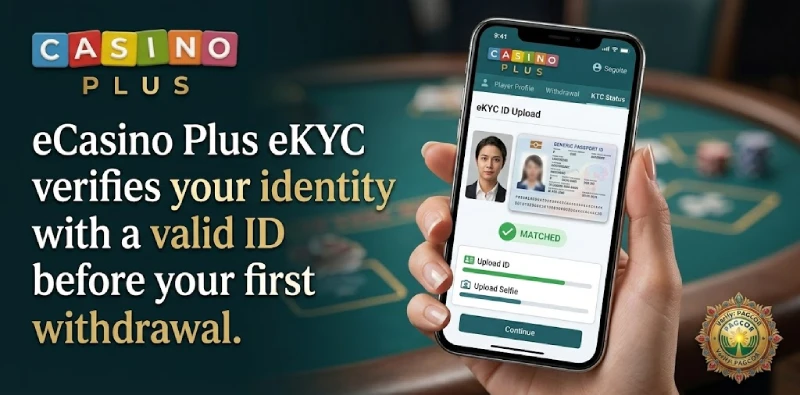
Casino Plus verification is an eKYC process that confirms your identity with a valid government-issued ID before your first withdrawal. It is required under PAGCOR and Anti-Money Laundering rules, and completing it early means your payouts are not delayed later. This guide explains what you need, how to complete verification step by step, and what happens after you submit.
Why Casino Plus Requires Verification
As a PAGCOR-licensed casino, Casino Plus PH must confirm that each player is a real, eligible adult and that accounts are not used for fraud or money laundering. That is why eKYC is mandatory before a first withdrawal and why details must be accurate. It also protects you, since it ties withdrawals to an account in your own name. Verification is a one-time setup for most players, after which withdrawals process normally.
What You Need to Verify
Prepare a few things before you start so the process goes smoothly.
A Valid Government ID
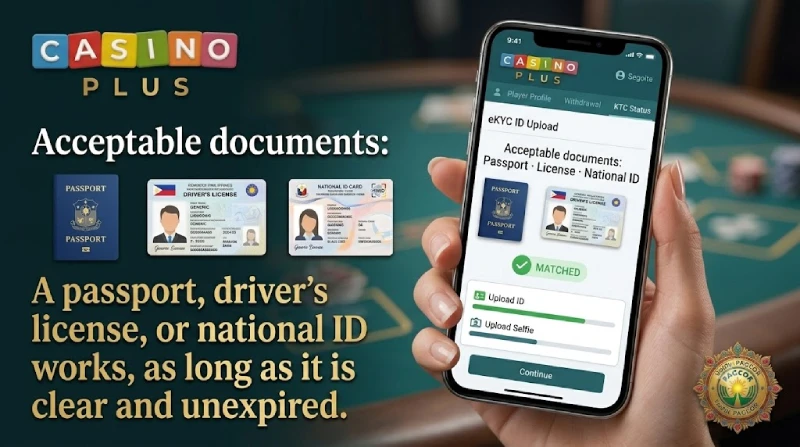
You need a clear photo of a valid, unexpired government-issued ID. Make sure the whole document is visible, the text is readable, and there is no glare covering your name, photo, or ID number. Common examples include a passport, driver’s license, or national ID.
Matching Personal Details
The name and details on your Casino Plus account must match your ID exactly. Check the spelling of your full name and your date of birth before submitting, because a mismatch here is a common cause of later withdrawal holds. You may also be asked to take a selfie for a liveness check.
The table shows what counts as a valid ID and what to check before you upload.
| Requirement | What to check |
|---|---|
| Valid government ID | Passport, driver’s license, or national ID, unexpired |
| Clear photo | Whole document visible, readable, no glare |
| Matching name | Spelling matches your Casino Plus account exactly |
| Matching birth date | Confirms you are 21 or older |
| Selfie if asked | Good lighting for the liveness check |
How to Complete eKYC
The steps below complete verification on the website or app.
- Log in to your Casino Plus account.
- Open your profile or account settings and find the verification or KYC section.
- Enter your personal details exactly as they appear on your ID.
- Upload a clear photo of your valid government-issued ID.
- Complete any selfie or liveness check if prompted, then submit.
After You Submit
Once submitted, your documents are reviewed, and you may be asked for additional verification if anything is unclear. Approval times vary, so it is wise to verify before you plan to withdraw rather than at the moment you want your cash out. If your submission is rejected, it is usually because the ID was blurry, expired, or the details did not match, all of which you can correct and resubmit. After approval, link a bank account or e-wallet in your own name to withdraw.
Verifying early has a practical payoff: when you do win and want to cash out, there is no waiting on document review, because that step is already done. It is the most reliable way to avoid a delayed first withdrawal.
Frequently Asked Questions
Is verification required at Casino Plus?
Yes. eKYC verification is required before your first withdrawal under PAGCOR and anti-money-laundering rules. It is a one-time setup for most players.
What ID can I use to verify?
A valid, unexpired government-issued ID such as a passport, driver’s license, or national ID. Make sure the photo is clear and all details are readable.
How long does Casino Plus verification take?
Review times vary, so verify early rather than when you want to withdraw. You may be asked for extra documents if anything needs clarifying.
Why was my verification rejected?
Usually because the ID was blurry or expired, or the details did not match your account. Correct the issue and resubmit a clear, valid ID.
Verify and Unlock Withdrawals
Completing eKYC with a clear, valid ID and matching details is what unlocks smooth withdrawals at Casino Plus. Once verified, see our withdrawal guide and bank linking guide to cash out.
Casino Plus is open only to players aged 21 and above. Play responsibly.